Free codes: Midnight V2 · one per personClaim →SALESaleSee sale →9 topics
Nothing matches that yet. Try other words, or
email us.
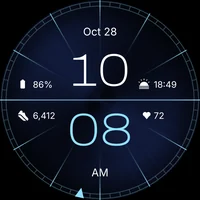
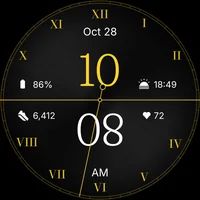
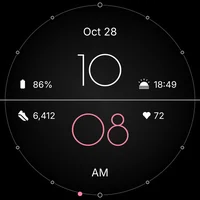
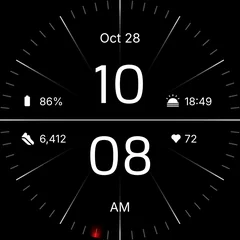 Minimal BlackRegarder
From your phone: open the face on Google Play, tap the arrow next to Install and choose your watch.
Install on watchView on Google Play From the Regarder phone app: tap Install on watch, then confirm on the watch.
Minimal BlackInstall From the watch itself: open Play Store, search “Regarder” and tap Install.
Give it a few minutes. Keeping the watch close to your phone, or on its charger, helps.
On a computer? Open the face on play.google.com, tap Install, and choose your watch from the device list.
Touch and hold your current watch face.
Add watch face Swipe to the end of the list and tap + to add a face.
Find the Regarder face and tap it.
Allow Minimal Black to access sensor data?AllowDon’t allow Allow sensor access when asked, so steps and heart rate can show.
On a Galaxy watch you can also do this from the Galaxy Wearable app on your phone, under Watch faces.
Customize Touch and hold the watch face, then tap Customize.
Swipe between looks and colours. Turn the bezel or scroll to change each one.
Tap a complication slot and choose what it shows: weather, battery, steps, your next event.
Allow Minimal Black to access sensor data?AllowDon’t allow The face needs permission to read your watch’s sensors. Tap Allow when the watch asks.
Switch away and back, then tap the heart rate Said no by mistake? Switch to another face, switch back, and tap the heart rate value to get the prompt again.
PERMISSIONSSensorsPhysical activityLocation
Or open Settings → Apps on the watch, find the face, and allow Sensors and Physical activity.
Many watches measure every few minutes, so the first reading can take a moment.
If you added a heart rate complication from another app and it only shows its name, that app needs its own permission too.
DISPLAYBrightnessAlways On DisplayScreen timeout
Turn on Always On Display in your watch’s Display settings.
With your wrist down, the face switches to a calm, simpler layout to save battery. Raise your wrist to see the full face.
Order history
Minimal BlackPaid · you@gmail.com
Request a refundCheck your Play order history to see which Google account bought the face.
PLAY STORE ACCOUNTwork accountbought with this
On the watch, open Play Store, tap your profile picture and switch to that account.
Minimal BlackInstall Install again. Play shows Install instead of a price once the accounts match.
Just bought it? Give Play a few minutes to sync before you try again.
Library
Payments & subscriptions
Settings
In the Play Store app, tap your profile picture, then Payments & subscriptions.
Payments & subscriptions
Payment methods
Redeem gift code
Budget & history
Tap Redeem gift code. On a computer, go to play.google.com/redeem.
Redeem code
X7K2-9QPM-4RWT
Redeem
The face is yours
Enter the code and tap Redeem, then install the face on your watch.
Every code has an expiry date, so redeem a claimed code straight away.
Order history
Minimal BlackPaid · you@gmail.com
Request a refundWithin 48 hours of buying, request a refund from your Play order history.
watches.regarder@gmail.com
02After 48 hours, email us your order number and we’ll take a look.
Galaxy Watch 4 – 8Pixel WatchOnePlus Watch 2 & 3Wear OS 4+
01Galaxy Watch 4 and newer, Pixel Watch, OnePlus Watch 2 and 3, and other Wear OS 4+ watches.
Apple WatchFitbitGarminTizen
02Not for Apple Watch, Fitbit, Garmin or older Tizen Galaxy watches.
Minimal BlackRegarder Available for Galaxy Watch7InstallGoogle Play only offers a face to watches it works on. If you can install it, it fits.